Humanity Gem Explorer
tl;dr: Launch it now!
The Explorer app lets you explore the many facets of the Humanity Gem.
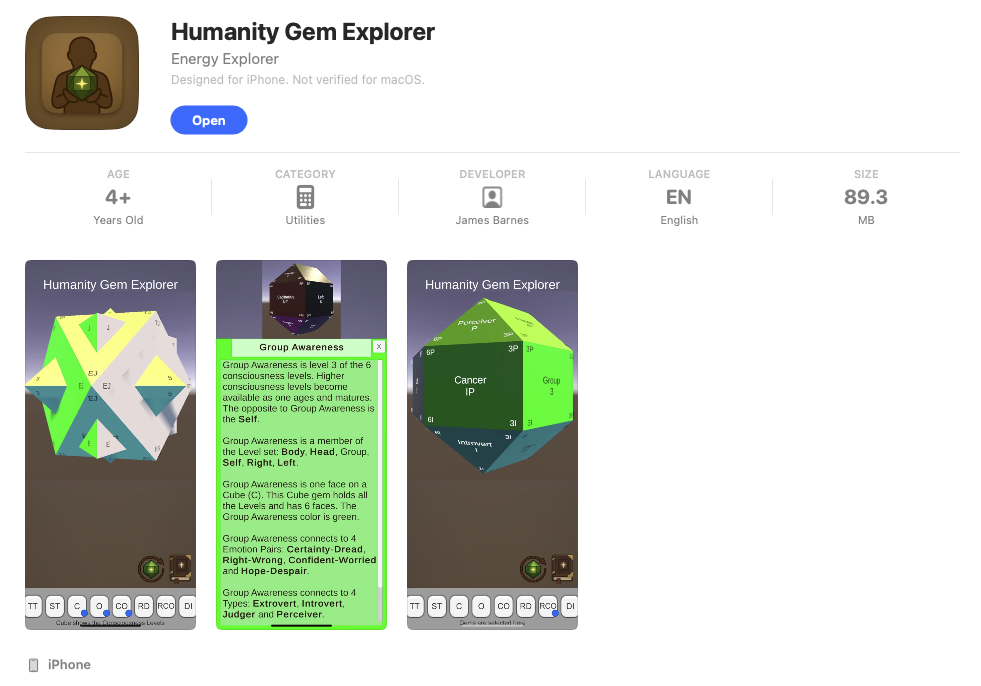
There are 10 buttons on the main screen. The first eight buttons along the bottom row are the gem-select toggles. These let you show or hide the polyhedra as you explore. You can turn on many of them simultaneously. A little blue dot in the lower-right corner of a toggle lets you know what is enabled.
The two icons above the gem-select row are the rotation button and the atlas button. The rotation button turns on and off the idle rotation of the gem. The altas contains detailed information about the landmark that you are viewing.
In the altas, there are 50 cards of information available. Each card provides detailed information about the facet that you have selected. And, each card contains many bold links. These links will let you travel to other cards. There’s over a thousand links for you to quickly travel from place to place.
Turning on rotating allows you to watch the gem in motion. The rotation is bidirectional and is enabled by pressing the button a few times.
I hope you enjoy this new app!
| Platform | Status | Link |
|---|---|---|
| Web Portal | released | Gemoceans Portal |
| Web Site | released | Gemotions Website |
| Apple App | released | Apple App Download |
| Android App | internal test | Android App Download |
Fun things to do
Turn off all gems and turn on DI. These are all the emotion pairs. Find one pair of interest and feel its emotional extremes. Do be careful exploring painful emotions.
Turn off all gems and turn on C, O and CO. What a complex shape.
Start touching a gem and see if you can time the touches to make it spin fast.
Jump into the Atlas and start touching/clicking on bold text. Make that little gem at the top spin!
Turn off all gems and turn on C, CO and RCO. Then, touch your way to the blue bottom which is consciousness level 1. Now, touch your way upwards as if you were climbing a mountain up to the yellow top which is consciousness level 2. Once there, descend back to level 1. As a memory aid, you have just walked from the blue water to the yellow sun and back.
Find your zodiac sun sign on the RD. That’s where the sun was at during your birth. Find other people’s sun signs.
If you have others, just let me know and I’ll add them here.
Deeper things to do
Study the six consciousness levels. Find them inside yourself. Move from consciousness level to consciousness level. Find the levels on the gem. There are six of them and they show up on any polyhedron with a C (short for cube — the six-sided polyhedron).
Take an MBTI test, learn your personality type and get your habitual personality preferences. There are 8 preferences. We each habitually use four of them. Once you know your habits, then explore the opposites. For instance, if you have a preference for Feeling (F), get familiar with Thinking (T).
Walk the RD from Aries to Pisces going through all twelve signs. Note how they are in groups of three — three zodiac signs per season.
On the DI, take one of your habitual personality preferences and walk the three negative emotions that surround the preference. For instance, starting with T, go from Stupid to Hate to Revenge. This is an emotion loop. Remember times you have traveled this loop. Since the preference is habitual, the emotions around it will be habitual as well. In other words, you will have felt these three negative emotions many times. It’s time to make this loop conscious.